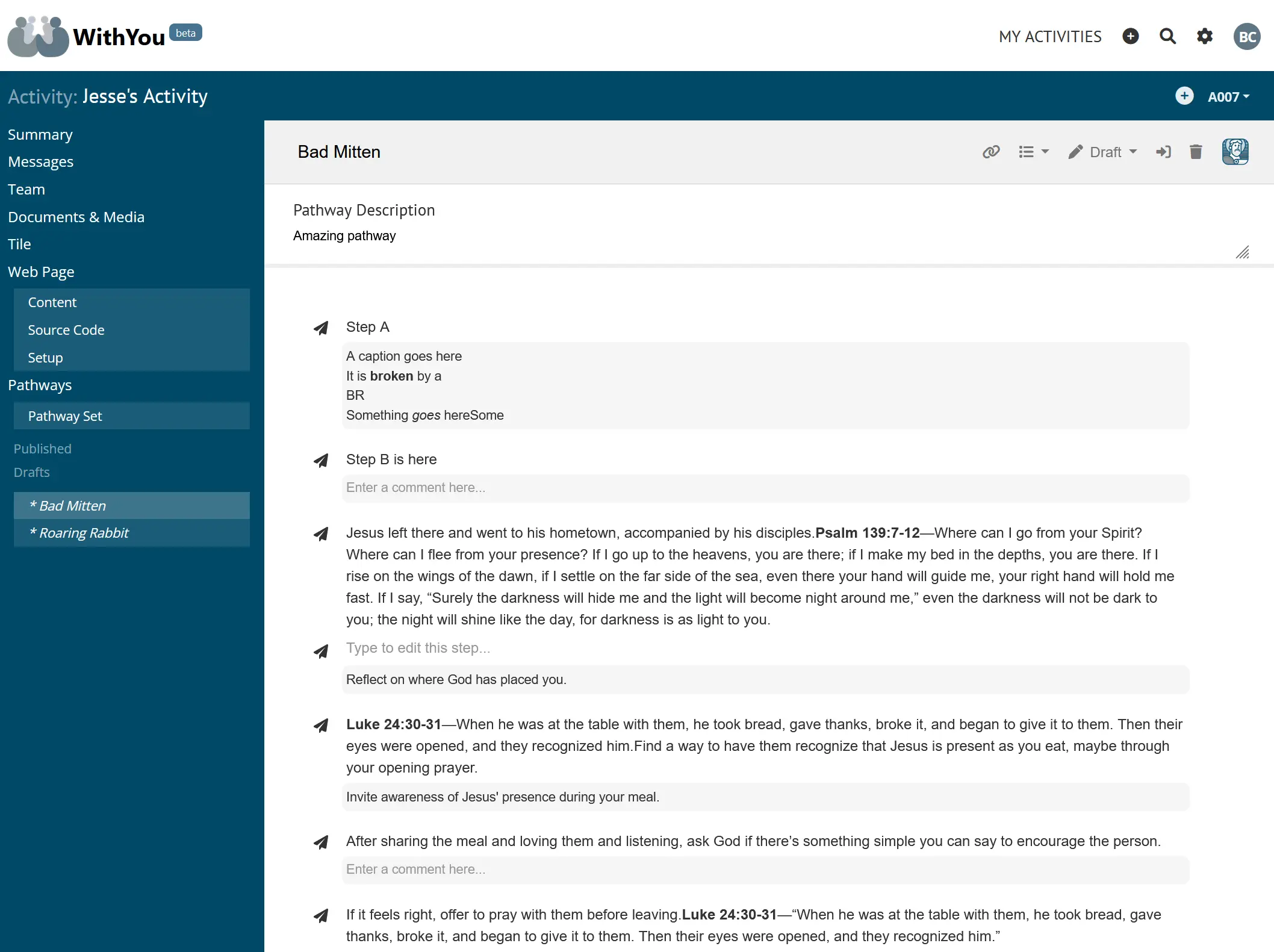
Admin console for a messaging platform
I designed and developed a browser-based admin console for creating and editing structured message flows used by a separate messaging platform called WithYou. In the console, admins design prewritten messages and conversation steps, which are saved via APIs and later consumed by the runtime app.
Architecture and Design Decisions
The app uses a PHP MVC-style back end with a JavaScript-heavy front end. PHP is responsible for routing, data access, and templates, while JavaScript handles user interaction and saving changes asynchronously. The editor communicates with the messaging platform through an API.
Back-end Implementation (PHP)
The back end consists of PHP controllers that expose internal JSON APIs and manage database access.
Front-end Implementation (JavaScript)
The front end is built using modular, object-oriented JavaScript. UI behavior is split into components that manage local state, DOM references (via jQuery), and editor lifecycle logic.
Template and Rendering Model
HTML is rendered using PHP templates, with JavaScript enhancing and updating the page as users interact with it. Data is saved and loaded through AJAX.
External API Integration
The front end communicates with:
- Internal PHP APIs
- External APIs that store message and flow data
These APIs are used to load existing content and save edits, keeping the editor separate from the runtime messaging system.
Rich Text Editing and Interactivity
The editor uses TinyMCE for rich text editing within message steps. Custom JavaScript handles higher-level interactions like step management and saving, while TinyMCE is focused on text editing only. This separation helped keep editor logic manageable.
Languages and Technologies
- JavaScript, jQuery
- PHP
- HTML, CSS
- JSON APIs
The codebase follows object-oriented patterns on both the front end and back end.
Development Process and Tools
Work was done iteratively, starting with wireframes and UI mockups before building features. Tools included:
- Figma for design
- Cursor and Vim for development
- TinyMCE documentation for editor integration
AI tools in Cursor were used to speed up development and refactoring.
Challenges and Solutions
The main challenge was working around TinyMCE’s event system, which made some interactions harder to implement. The solution was to limit TinyMCE to text editing and handle most keyboard and mouse interactions in the web app’s own code. This approach simplified the logic and reduced long-term complexity.